
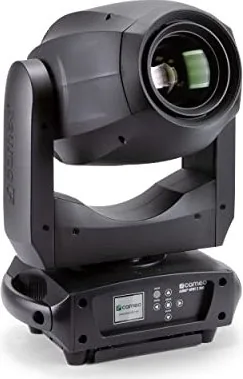
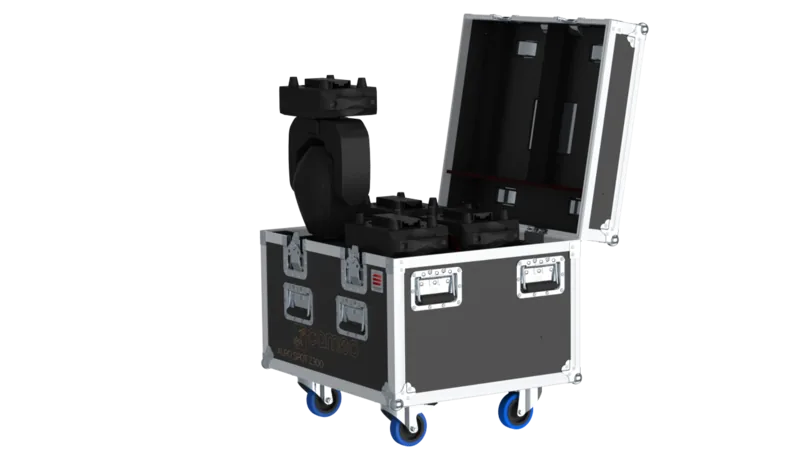
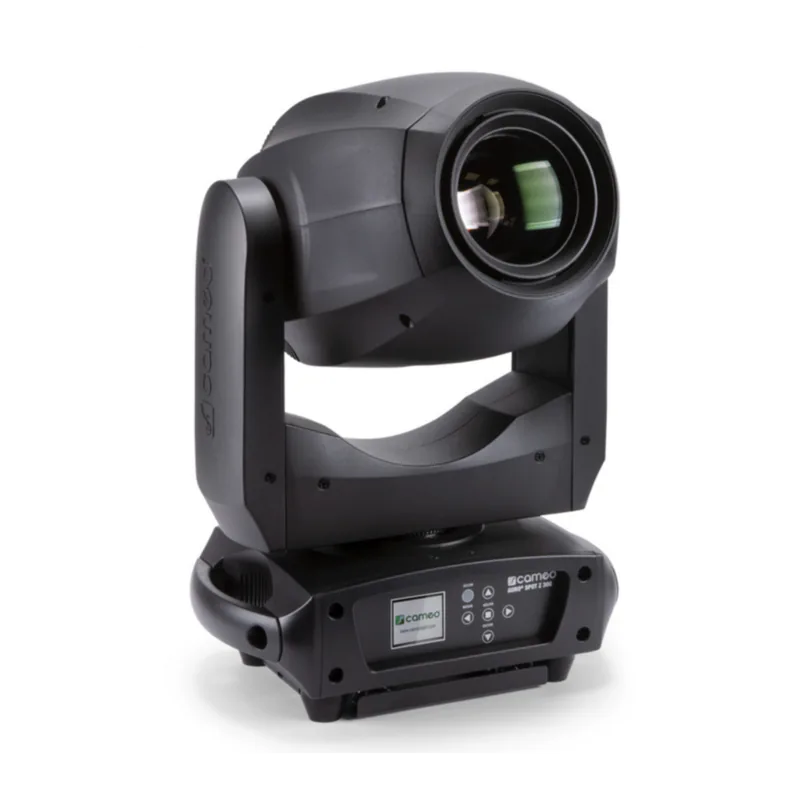
Cameo AURO SPOT Z 300 Bedienungsanleitung
PDF-Handbuch · 94 Seiten
Deutsch



Schnelle Überprüfung
Falsche Antwort, bitte versuchen Sie es erneut.
Chatten Sie mit Ihrem Cameo AURO SPOT Z 300-Handbuch mithilfe von KI
Erhalten Sie sofortige KI-Antworten aus Ihrem Cameo AURO SPOT Z 300-Handbuch
Fragen Sie alles über Cameo AURO SPOT Z 300. Antworten stammen aus diesem Handbuch, mit den Seiten, auf denen sie basieren.
AURO SPOT Z 300 Wartungsplan
Warten Sie mindestens 10 Minuten nach dem Betrieb, bevor Sie das Gerät berühren oder transportieren, damit es abkühlen kann.
Verwenden Sie ein trockenes Tuch zur Reinigung. Öffnen Sie das Gerät nicht und ändern Sie es nicht.
Qualifiziertes Personal sollte das Gerät regelmäßig warten oder reinigen, abhängig von den Umgebungsbedingungen wie Staub, Nikotin oder Nebel, um eine Überhitzung zu verhindern.
Stellen Sie eine Frage
Empfehlen Sie AURO SPOT Z 300?
Ja NeinHäufig gestellte Fragen
Er unterstUtzt die DMX-512-Steuerung in zwei Modi (17-Kanal und 20-Kanal). Er bietet auch Master/Slave-Betrieb und Standalone-Funktionen wie Auto-Programme und statische Benutzermakros. Das integrierte MenU ermOglicht die direkte Einstellung der DMX-Adresse und des Betriebsmodus.
Ist diese Antwort hilfreich?
Verwenden Sie die MODE-Taste, um das OptionsmenU zu Offnen, wAhlen Sie dann Systemeinstellungen und die Option DMX-Adresse. Die Ziffern der Startadresse kOnnen mit den Pfeiltasten angepasst und dann mit ENTER bestAtigt werden. DrUcken Sie MODE, um zum Hauptbildschirm zurUckzukehren.
Ist diese Antwort hilfreich?
Wenn DMX unterbrochen wird, zeigt das Display den Verlust von DMX an und Andert seine Hintergrundfarbe. Das GerAt kann fUr DMX-Fehlerverhalten konfiguriert werden, z.B. den letzten Befehl halten oder Blackout auslOsen, abhAngig von der gewAhlten Systemeinstellung.
Ist diese Antwort hilfreich?
Ja. Der Static-Modus ermOglicht es Ihnen, Pan/Tilt-, Farb-, Gobo-, Stroboskop-, Zoom-, Fokus-, Frost- und Prismenparameter direkt Uber die GerAtesteuerung einzustellen. Vier Benutzermakros stehen zur VerfUgung, damit Sie bevorzugte Einstellungen speichern und abrufen kOnnen, um schnelle, wiederholbare Looks zu erzielen.
Ist diese Antwort hilfreich?
Ja. Der Scheinwerfer erfUllt den RDM-Standard, wodurch ein RDM-fAhiger Controller Status abfragen und unterstUtzte RDM-Endpunkte konfigurieren kann. Dies ist nUtzlich fUr die Uberwachung und Verwaltung in grOsseren Setups.
Ist diese Antwort hilfreich?
DMX-GerAte werden seriell Uber DMX IN und DMX OUT verbunden. Halten Sie die Verbindungskabel so kurz wie mOglich, um eine bessere UbertragungszuverlAssigkeit zu gewShrleisten. Ausserdem sollte das letzte GerAt in der Kette mit einem Terminator ausgestattet sein, um Fehler zu reduzieren.
Ist diese Antwort hilfreich?
Vorteile und Nachteile
Vorteile

- 200 W LED Moving Head mit Zoom, Fokus und Frostfilter fUr vielseitige Looks
- Farbrad, 2 GoborAder und 2 Prismen ermOglichen geschichtete, kreative Effekte
- DMX-Steuerung mit 17CH und 20CH Modi plus Master/Slave und Standalone-Programmen
- Static-Modus und 4 Benutzermakros ermOglichen die Szenenerstellung ohne externen Controller
- RDM-UnterstUtzung ermOglicht Statusabfragen und Fernkonfiguration mit RDM-fAhigen Controllern
Nachteile

- Standard-Kanaltabellen und -Betrieb basieren auf korrekter DMX-Adressierung und Verkabelung
- Standalone- und Makro-Ergebnisse hAngen von einer sorgfAltigen MenUeinrichtung durch den Benutzer ab
- Sicherheitsanforderungen umfassen die Verwendung nur in InnenrAumen und professionelle Handhabung bei Uberkopfinstallationen
Produkt Spezifikation
Strahlmuster
Spot
Lichtquelle
LED
Leistungsaufnahme
200 W
Abstrahlwinkel
10-25°
PAN-Winkel
540°
TILT-Winkel
270°
Farbmischung
LED (RGBW)
Effekte
Dimmer, Strobe
Steuerung
DMX (20 Kanäle), Master/Slave
Abmessungen
282x469x186 mm (BxHxT)
Gewicht
11,20 kg
Produkt Beschreibung
Cameo AURO SPOT Z 300 - Leistungsstarker LED Moving Head Zoom fUr BUhne und Veranstaltungen
Der Cameo AURO SPOT Z 300 ist ein professioneller LED-Moving-Head, der fUr zuverlAssige, langfristige Leistung in der Eventbeleuchtung entwickelt wurde. Er basiert auf einem 200 W LED-Engine und liefert einen scharfen, dynamischen Strahl mit Zoomsteuerung, Fokus und einem atmosphArischen Look dank eines Frostfilters. Mit einem Farbrad und zwei GoborAdern sowie zwei Prismen unterstUtzt der Scheinwerfer vielseitige Looks, die von gestochen scharfen Gobos bis hin zu geschichteten, funkelnden Effekten reichen.
Die Steuerung ist flexibel und produktionsfreundlich. Sie kOnnen ihn Uber DMX mit DMX-512 in zwei Kanalmodi, 17-Kanal oder 20-Kanal, bedienen. FUr Live-Workflows unterstUtzt er auch den Master/Slave-Betrieb und Standalone-Programme. Wenn Sie schnell vor Ort starten mOchten, kOnnen Sie mit dem integrierten Display und den batteriebetriebenen Einstellungen Systemoptionen konfigurieren, auch wenn das GerAt nicht an die Stromversorgung angeschlossen ist, was die Einrichtung schneller und effizienter macht.
Die Bedienung wird durch eine klare MenUlogik geleitet: Sie kOnnen die DMX-Startadresse festlegen, den Betriebsmodus auswAhlen und wichtige Verhaltensweisen wie Dimmerkurven, Pan/Tilt-Invertierung und LED-PWM-Frequenz anpassen. Das GerAt verfUgt auSserdem Uber DMX-Fehlerverhaltensoptionen (letzten Befehl halten oder Blackout), eine optionale automatische Positionskorrektur sowie Motor-Reset- und Funktionstestwerkzeuge. Wenn DMX unterbrochen wird, kann das Display den Status deutlich anzeigen, was den Bedienern hilft, Fehler in Echtzeit zu beheben.
FUU-r die Effektgestaltung ist der Static-Modus besonders nUtzlich. Er ermOglicht es Ihnen, benutzerdefinierte Szenen direkt am GerAt zu erstellen, indem Sie Werte fUr Pan/Tilt-Bewegung, Dimmer, Stroboskopverhalten, Farb- und Goboauswahl, Zoom, Fokus, FrostintensitAt und Prismeneinstellungen zuweisen. Vier Benutzermakros helfen, bevorzugte Setups zu speichern und wiederzuverwenden, so dass Sie Looks ohne externen Controller konsistent reproduzieren kOnnen.
Schliesslich erfUllt der Cameo AURO SPOT Z 300 den RDM-Standard (Remote Device Management), der es RDM-fAhigen Controllern ermOglicht, den Status abzufragen und kompatible Endpunkte zu konfigurieren. Das Ergebnis ist ein Scheinwerfer, der sowohl fUr Festinstallationen als auch fUr Touring-Rigs geeignet ist und eine starke Leistung, eine reiche Effektvielfalt und praktische Steuerungsfunktionen bietet.
Wichtige Ergebnisse, die Sie erwarten kOnnen
- Leistungsstarke 200 W LED-Ausgabe mit Zoom, Fokus, Frostfilter und mehrschichtigen optischen Effekten
- DMX-512-Steuerung in 17CH oder 20CH, plus Master/Slave und Standalone-Autoprogramme
- Schnelle Einrichtung Uber LC-Display, integriertes MenU und batteriegestUtzte Systemeinstellungen
- Static-Modus und Benutzermakros fUr controllerunabhAngige Szenenerstellung
- RDM-UnterstUtzung fUr StatusprUfungen und Fernkonfiguration (RDM-fAhige Setups)
Hinweise
- Befolgen Sie immer die Sicherheitshinweise des Cameo AURO SPOT Z 300 Handbuchs: Nur fUr den Innenbereich, LUftung nicht blockieren und vermeiden Sie es, in den LED-Strahl zu blicken.
- Halten Sie bei DMX-Ketten die Kabel kurz und verwenden Sie einen Terminator am letzten GerAt.
- Die Uberkopfmontage erfordert qualifizierte Erfahrung und geeignete SicherheitsmaSsnahmen.
Suche nach 67.706 Bedienungsanleitungen online


Marke oder Modell eingeben